
How to Implement RFID in a Warehouse: A Step-by-Step Guide
Deciding to adopt RFID is the easy part. The harder question is how to actually roll it out in a live warehouse without disrupting daily operations or overspending. Done well, an RFID system delivers real-time visibility, reduced labour costs, and far fewer errors. Done badly — with the wrong tags or poorly placed readers — it frustrates the team and wastes the budget.
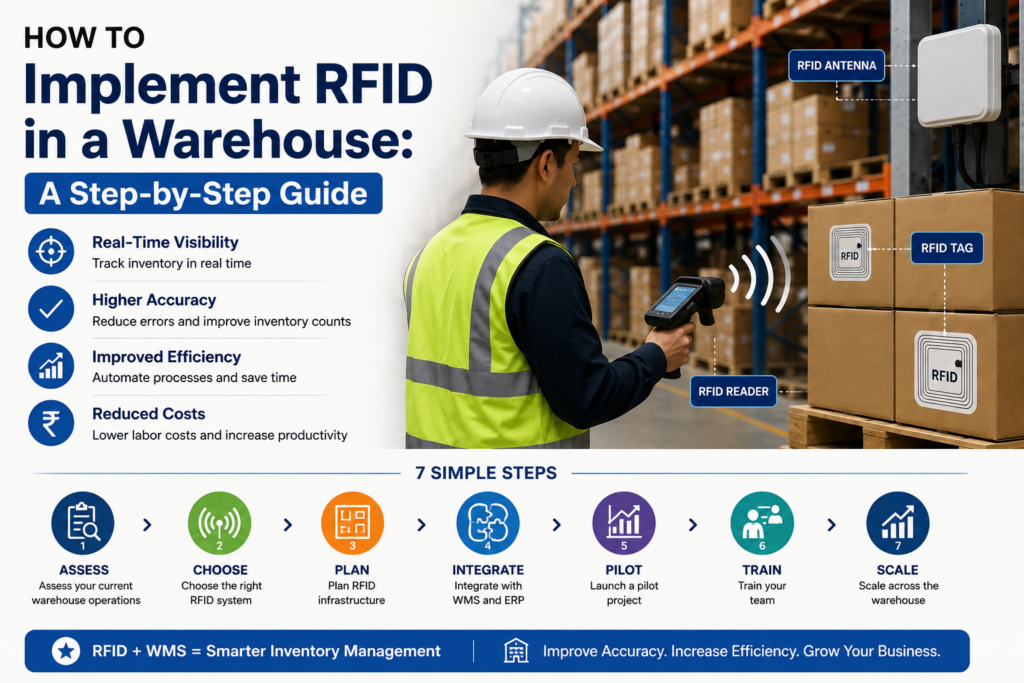
This step-by-step guide walks you through a proven RFID implementation, from first assessment to full rollout. If you are still weighing the technology itself, start with our guide on what RFID is and how it works, then come back here to plan the project.
▶ Watch: RFID Solutions Overview
Table of Contents
- Why implement RFID?
- The RFID implementation roadmap
- The eight steps in detail
- Common challenges
- Best practices
- FAQs and conclusion
Why Implement RFID in Your Warehouse?
Before diving into the “how,” confirm the “why.” RFID implementation demands investment and effort. Your business case must be clear.
Inventory Accuracy: Manual counts and barcode scanning introduce human error. RFID automatically captures data, reducing discrepancies from 5–10% to under 1%.
Faster Receiving: An RFID dock portal scans entire pallets in seconds. What took 15 minutes per truck now takes 2 minutes. Labour costs drop immediately.
Real-Time Visibility: You no longer wait for daily reports. Every movement updates your system instantly. Planners see demand signals early and adjust stock accordingly.
Reduced Labour: Cycle counting that consumed 40 hours monthly now takes 4 hours. Staff are freed for higher-value tasks like exception management.Supply Chain Visibility: Your customers see accurate shipment tracking. Returns and disputes decrease because you know exactly what shipped.
The RFID Implementation Roadmap
A successful project moves through eight clear phases, each building on the last:
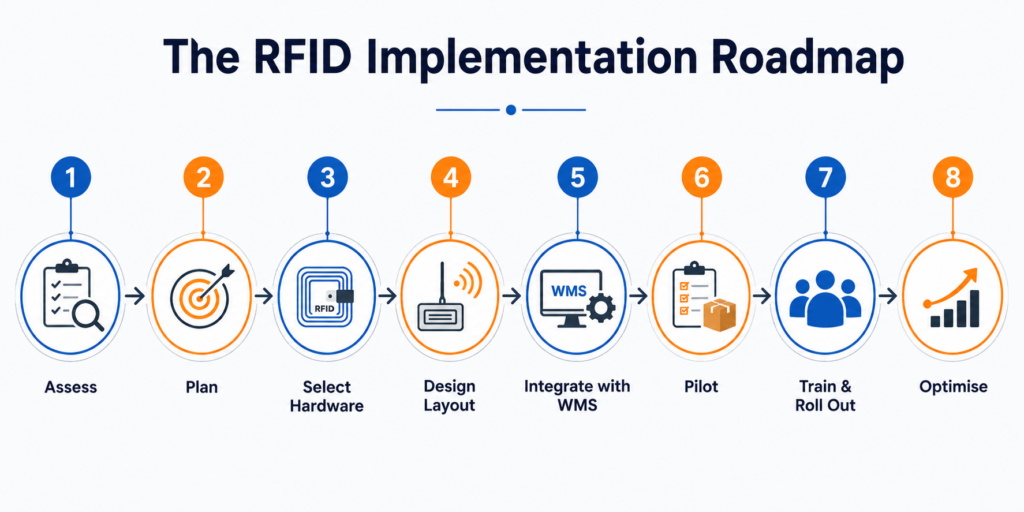
| Phase | Key actions | Outcome |
| 1. Assess | Map current inventory processes and pain points | A clear picture of what to fix |
| 2. Plan | Set goals, budget, and success metrics | A focused, measurable project |
| 3. Select | Choose RFID tags, readers, antennas and frequency | Hardware matched to your goods |
| 4. Design | Plan reader and antenna placement and read zones | Reliable, complete reads |
| 5. Integrate | Connect RFID to your WMS and ERP via middleware | Data that drives real decisions |
| 6. Pilot | Test in one area and measure read rates | Proof before full spend |
| 7. Roll out | Train staff and expand site-wide | A working, adopted system |
| 8. Optimise | Monitor, fine-tune, and scale | Continuous improvement |
Step 1: Assess Your Current Operations
Before buying anything, understand how your warehouse works today. Walk the floor and map each process — receiving, put-away, picking, cycle counts, and shipping — and record where delays, errors, and manual workarounds occur. This baseline lets you identify areas for improvement and, later, prove the return on your investment.
Step 2: Define Goals and Success Metrics
Be specific about what RFID must achieve. Is the priority faster receiving, higher inventory accuracy, better asset tracking, or all three? Set measurable targets and a realistic budget. Clear goals keep the project focused and give you a benchmark to measure against once the RFID system is live.
Step 3: Choose the Right RFID Tags and Readers
Hardware choice makes or breaks RFID warehouse management. Select RFID tags suited to your goods — passive tags for everyday inventory, active tags for large or high-value assets — and pick a frequency that gives the read ranges you need. Then choose matching RFID readers and antennas, whether fixed portals at dock doors or handheld units for the floor.
Step 4: Design Reader and Antenna Placement
Where you position RFID readers and antennas determines how reliably tags are read. Plan read zones at key points — dock doors, conveyor lines, and storage entrances — so goods are captured automatically as they move. Careful placement avoids both missed reads and unwanted duplicate reads, and it is worth testing around metal racking and liquid products, which can interfere with the signal.
Step 5: Integrate RFID with Your WMS
RFID data is only useful when it reaches your systems. Connect the RFID readers, through middleware, to your warehouse management system and ERP so every read updates inventory and orders in real time. This integration is what turns raw tag reads into accurate stock records and genuine improvements in efficiency across the wider warehouse automation.
Step 6: Run a Pilot
Never roll out site-wide on day one. Start with a pilot in a single area — often receiving — and measure real read rates against your goals. A pilot exposes practical issues, from tag placement to reader angles, while the stakes are low. Fix them here, before scaling, and you avoid repeating mistakes across the whole building.
Pilot Scope
- Location: One receiving dock door or one picking zone
- Products: One high-volume SKU or product family
- Duration: 4–8 weeks
- Success Criteria: 98%+ read accuracy, no disruption to existing processes, staff comfort with the system
Step 7: Train Your Team and Roll Out
Technology succeeds only if people use it. Train staff on the new RFID workflows and show them how it makes their jobs easier, not harder. With the pilot proven and the team confident, expand the system zone by zone across the warehouse, keeping a close eye on performance as volume grows.
Step 8: Optimise and Scale
RFID implementation is not a one-time event. Monitor read accuracy and system performance, fine-tune reader settings, and refine tag placement as your product mix changes. Over time, extend RFID into more processes and connect it with wider automation to keep improving efficiency and visibility.
Common Challenges to Plan For
Metal Interference
Metal racking and equipment reduce RFID read range by 30–50%. Solution: Position readers away from dense metal, use frequency hopping, or test with active tags in metal-heavy zones.
Liquid Interference
Liquids (water, oils, solvents) absorb radio waves. Tags on liquid containers may not read reliably. Solution: Use liquid-resistant tags, position readers away from liquid storage, or use barcode backups for liquid containers.
Tag Placement Errors
If tags are placed inside sealed boxes or under the pallet, readers cannot capture them. Solution: Train staff on proper tag placement. Use placement guides at each station.
Integration Issues
Your WMS and middleware may not communicate smoothly out of the box. Solution: Budget time for integration testing. Work with your WMS vendor and integrators to debug data flow.
Staff Resistance
Workers fear job loss or distrust new technology. Solution: Communicate early. Show how RFID reduces manual work (good for staff). Involve them in pilots. Celebrate successes.
Best Practices for RFID Success
Start Small, Scale Smart
A pilot proves the concept, de-risks the investment, and builds team confidence. Only scale after pilot success.
Invest in Quality Middleware
Cheap middleware that does not filter noise properly creates more problems than it solves. Quality middleware is the foundation of reliable RFID.
Use Industry-Standard Tags
EPC Class 1 Gen 2 passive tags work across most readers. Avoid proprietary tags that lock you into one vendor.
Monitor and Optimise Continuously
RFID is not a set-and-forget technology. Reader performance degrades over time as dust accumulates or network latency increases. Monthly audits catch issues early.
Document Everything Record reader locations, tag applications, integration points, and emergency procedures. This documentation is invaluable for troubleshooting and onboarding new staff.
Conclusion
Implementing RFID in a warehouse is far less daunting when you follow a clear, phased plan. Assess honestly, set measurable goals, choose the right hardware, integrate with your WMS, and prove it with a pilot before scaling. Take it step by step and each phase de-risks the next.
The reward is a warehouse with real-time visibility, lower labour costs, and far fewer errors — a foundation for smarter, more automated operations. Wherever you are today, the first step is simply to assess and plan.
Implement RFID with Brilliant Info Systems
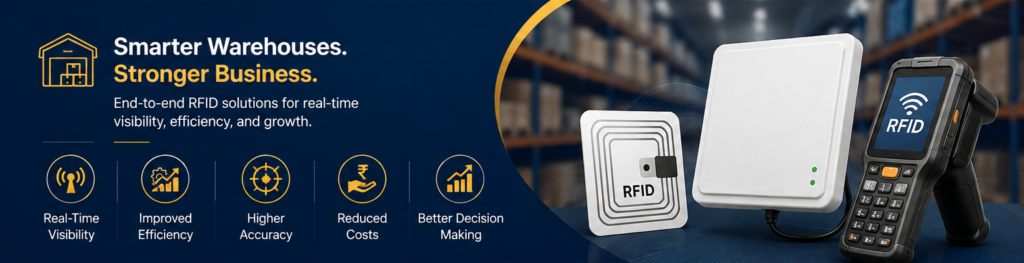
Brilliant Info Systems designs, integrates, and deploys end-to-end RFID solutions — connected to your WMS and WCS and wider warehouse automation. Talk to our team for expert RFID implementation and Industry 4.0 consulting tailored to your warehouse.
Frequently Asked Questions
How long does it take to implement RFID in a warehouse?
It varies with size and complexity, but a pilot can run within weeks, followed by a phased rollout over a few months. Starting small keeps the timeline predictable.
What is the first step in RFID implementation?
Assess your current operations and set clear goals. Understanding your real processes and pain points ensures you implement RFID where it delivers the most value.
Do I need to replace my WMS to use RFID?
Usually not. RFID connects to most modern warehouse management systems through middleware, so it enhances your existing setup rather than replacing it.
How much does RFID implementation cost?
Costs depend on tag volume, reader count, and integration work. A phased rollout spreads the investment, and labour savings and accuracy gains typically justify it over time.
Why run a pilot before full rollout?
A pilot tests real read rates and exposes placement or tag issues in one area, so you fix problems cheaply before scaling them across the whole warehouse.
Can RFID work alongside barcodes during the transition?
Yes. Many warehouses run a hybrid system, keeping barcodes for single-item checks while RFID handles bulk, automated tracking — an easy way to phase in the technology.